Engro Markaz
Web application for Engro Markaz admins and store employees, including the Markaz incharge. The farmer mobile app is a separate product.
- Full-Stack Developer
- 2026 – present
- Fertilizer retail at the Markaz store
- Ongoing
- Engro Fertilizers, via MT Pixels
Overview
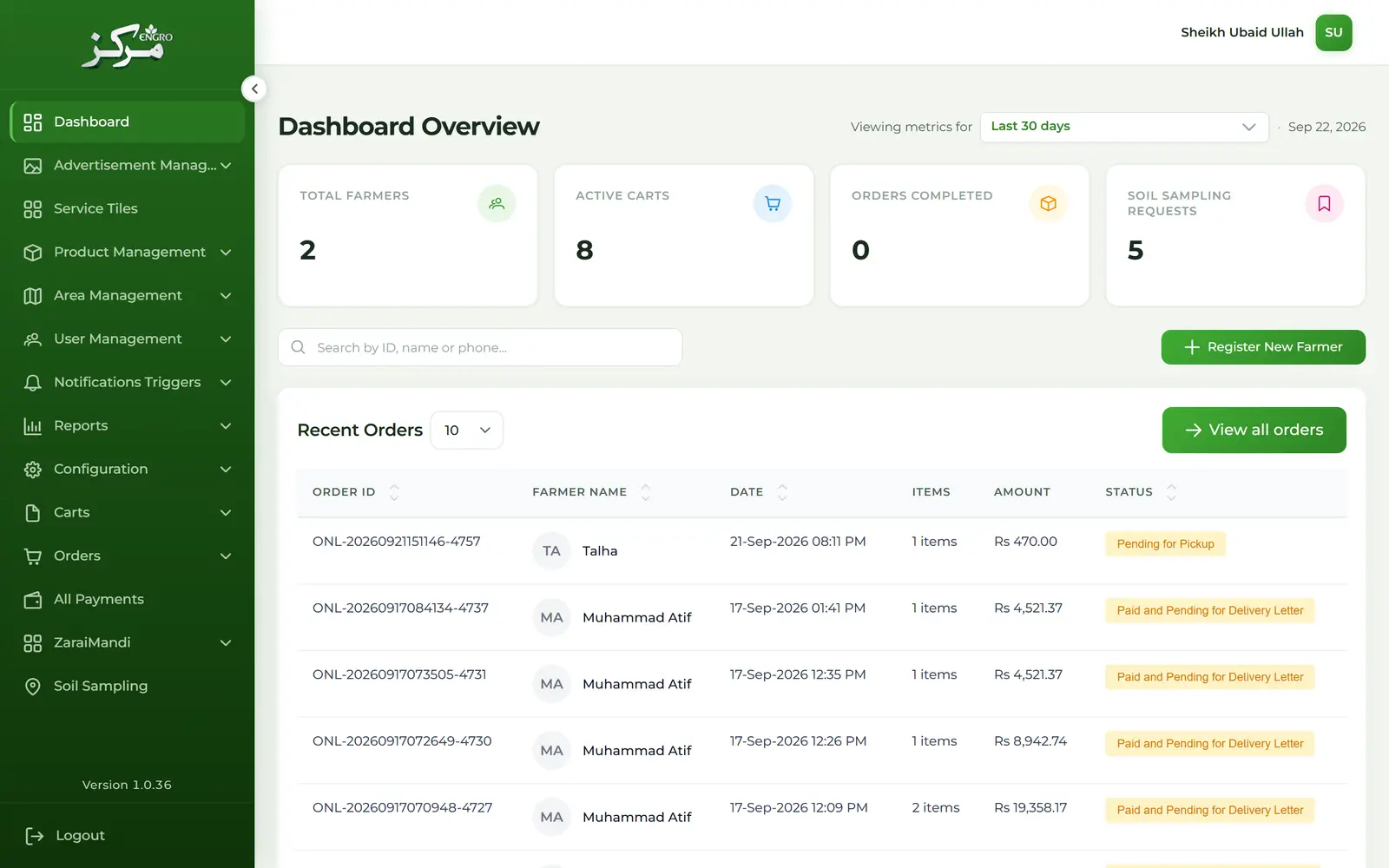
Engro Markaz has a farmer mobile app and this web application. I built the web application. Admins and employees, including the Markaz incharge, use it for registration, carts, orders, letters, catalog, and reports. The web application is in English. Admins also maintain the translations the mobile app displays. The API is split into three microservices: auth, core, and markaz.
Context
Built at MT Pixels for Engro Fertilizers. Still in progress. I worked on the web application only. The interface of that application is English. An admin can add a language, then add a translation for each record the mobile app needs, including the title and an uploaded image. There is no public URL.
Problem
Farmers buy on the mobile app. Admins and store employees still have to run the store side: register a farmer, place or correct an order, and keep the catalog. The mobile app also has to show that catalog in whatever languages the business adds, and those languages are not fixed in advance.
- Angular and TypeScript web application. The farmer mobile app is a separate product, and I did not build it.
- The API follows a microservices split: auth, core, and markaz.
- Sign-in starts with Microsoft, through MSAL (the Microsoft Authentication Library). The app then exchanges that identity for its own session.
- The web application is English. Translations for the mobile app are data: an admin adds a language, then a title, an image, and the other fields that record needs in that language.
- Farmer registration collects a location, a CNIC (Pakistan's national identity card number), and an OTP (a one-time password sent to the farmer's phone).
- Ongoing. No public usage numbers.
My role
I built the Engro Markaz web application for admins and employees such as the Markaz incharge, from Microsoft sign-in through catalog translations and the order at the store.
- Microsoft sign-in (MSAL) and the application session after that exchange
- Farmer registration, including location, CNIC, and OTP, plus internal users and roles
- Carts, the order hub, authority letters (documents that authorize collection), and delivery letters
- Warehouses, products, crops, mandis (wholesale markets), and the area hierarchy
- Translations for the mobile app: languages are added by an admin, then a title, image, and the other fields for products, categories, and similar records
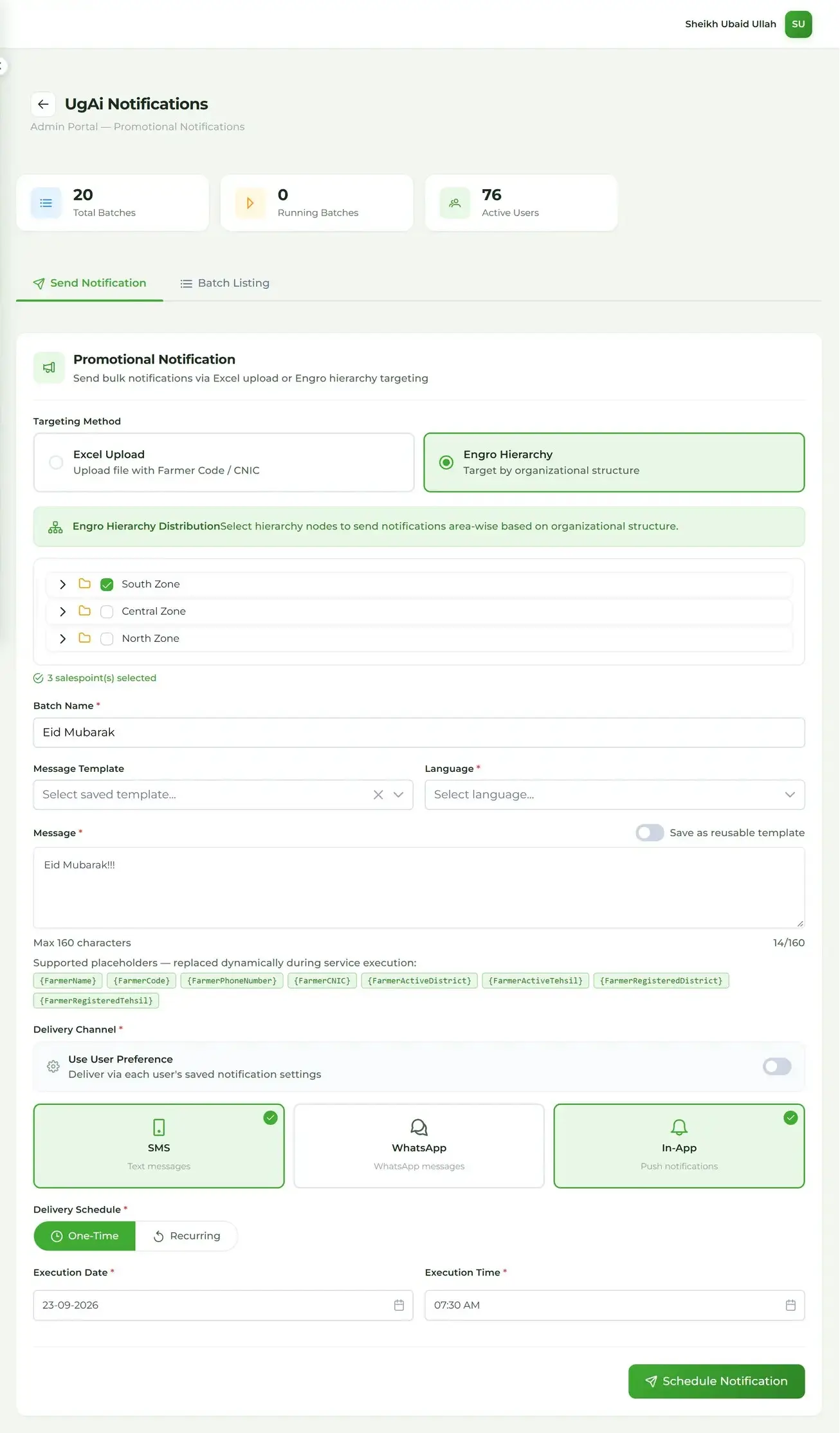
- Notifications, promotions, soil sampling, and reports
- The API split into auth, core, and markaz microservices
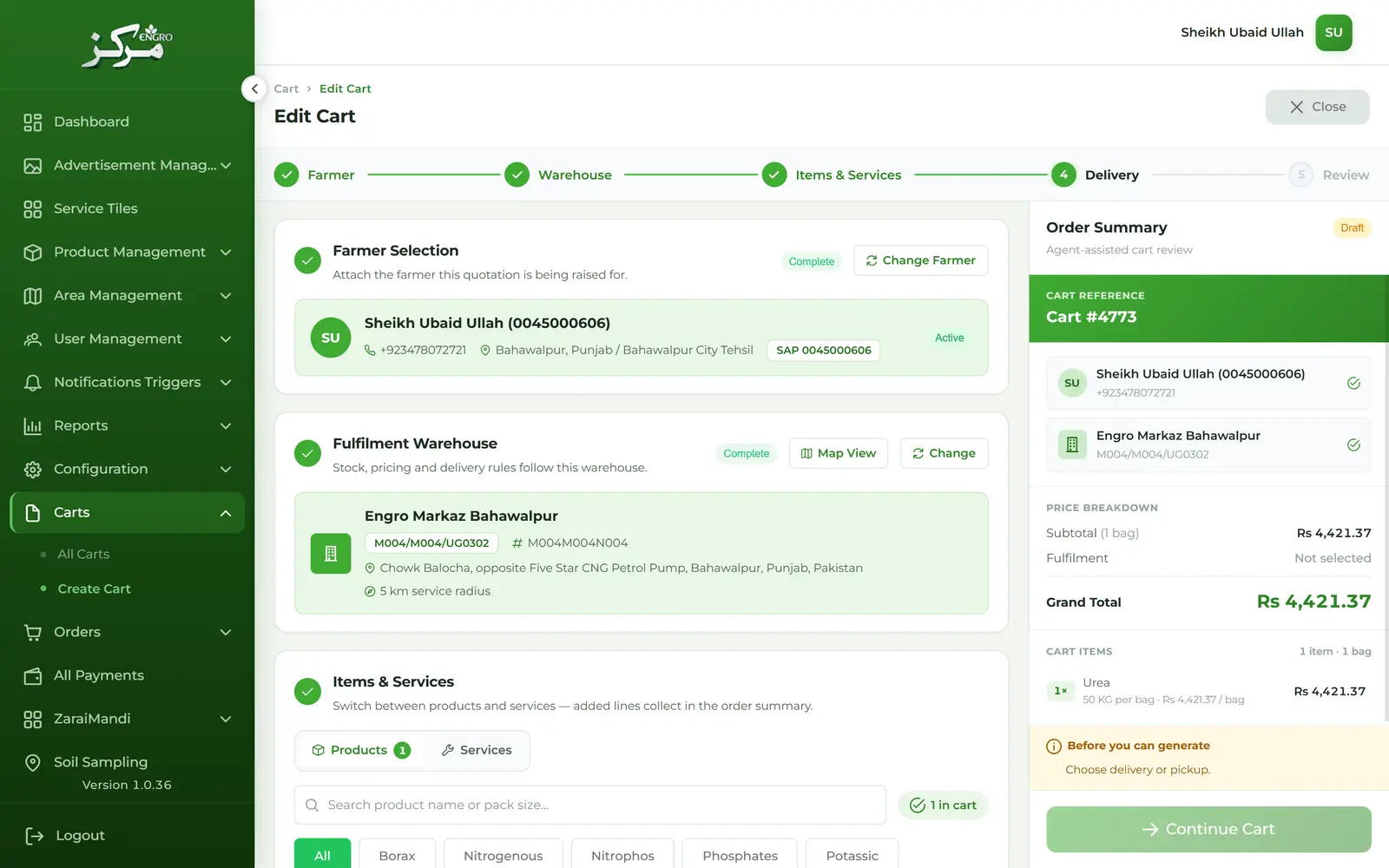
- Cart create and edit, including warehouse and line items
- Authority and delivery letters, including disputes
- Operational reports, including the Bharosa scan report
Approach
Microsoft sign-in is exchanged for an application session before any staff screen opens. Registration, carts, orders, and the catalog each go through a service contract against the auth, core, or markaz API. The web application stays in English. A translation is a record an admin attaches to a language, and the mobile app is what displays it.
Key decisions
Microsoft sign-in is exchanged for an application session before staff work begins.
- Azure AD, through MSAL, establishes who the person is. Carts, orders, letters, and reports need the application's own session, because that session carries profile and permissions.
- A Microsoft account alone does not open the product. Staff reach the farmer and the order only after the exchange succeeds.
- An admin or Markaz incharge reaches the farmer, the order, and the reports only after that session exists.
The web application stays in English. Translations are data an admin maintains for the mobile app.
- The mobile app has to show products, categories, and similar records in the languages the business adds. Those languages are not fixed to English and Urdu.
- Each translatable record needs a translation per language, including a title and an uploaded image, instead of one string on the screen.
- An admin adds a language, then the translations for it. The mobile app reads those translations. This web application stays in English.
Solution
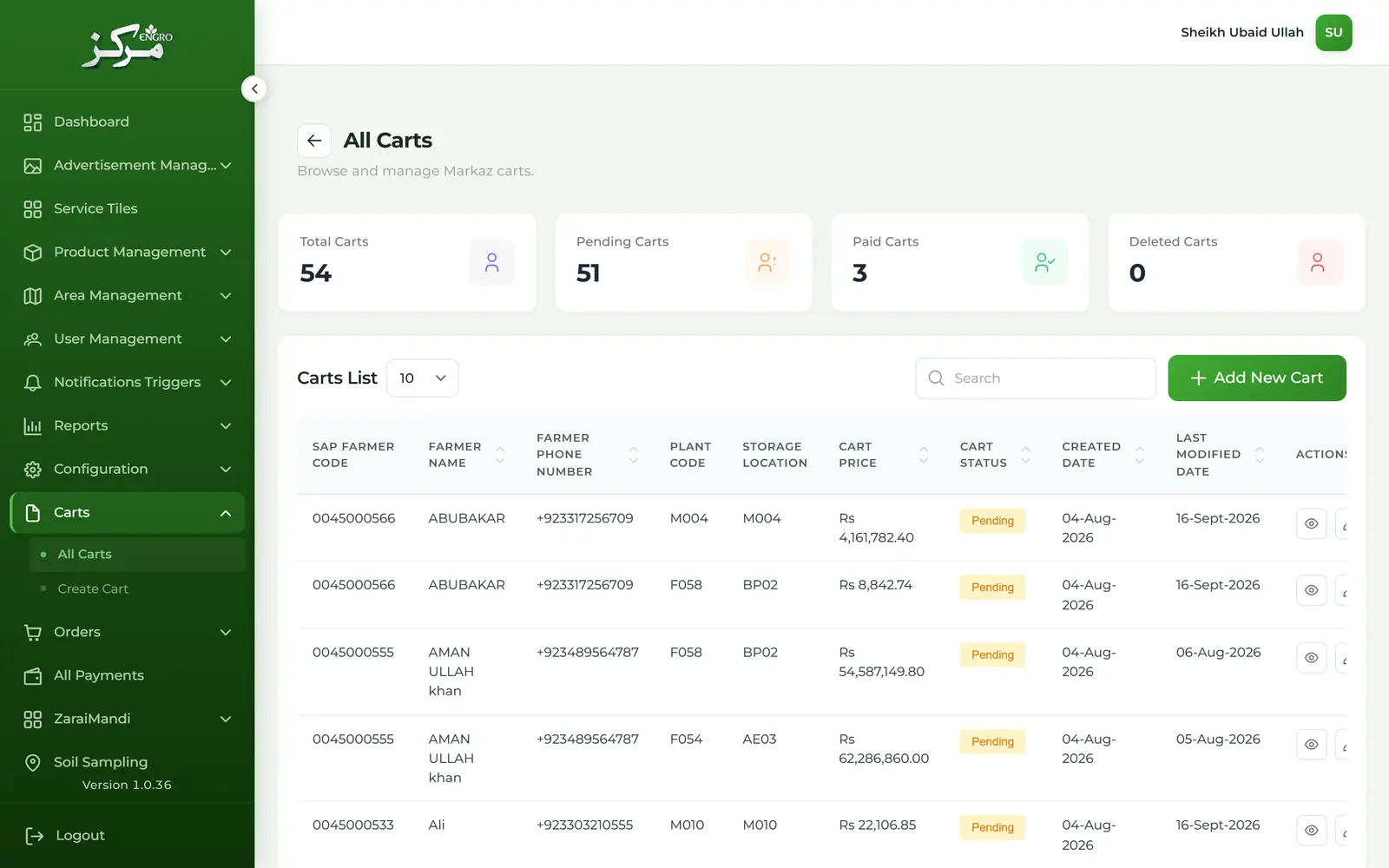
After the session exists, an admin or Markaz incharge opens the farmer, then the cart: warehouse, line items, and delivery. Authority letters and delivery letters sit on that order. The same application is where an admin adds a language and the title, image, and other translated fields the mobile app will show.
Methods and technology
- 01MSAL redirect, then an application session
- 02API microservices: auth, core, and markaz
- 03Service contract per feature
- 04Dynamic languages and per-record translations for the mobile app
- 01Angular
- 02TypeScript
- 03RxJS
- 04PrimeNG
- 05Tailwind CSS
- 06Microsoft Authentication Library (MSAL)
- 07Google Maps
Scope
- Admins and store employees, including the Markaz incharge. The farmer mobile app is a separate product.
- Languages are added by an admin. A translation can include the title, an uploaded image, and the other fields that record needs. The mobile app is what displays them.
- Three microservices: auth, core, and markaz.